|
|
### Syncfusion WinForms Excel library
|
|
|
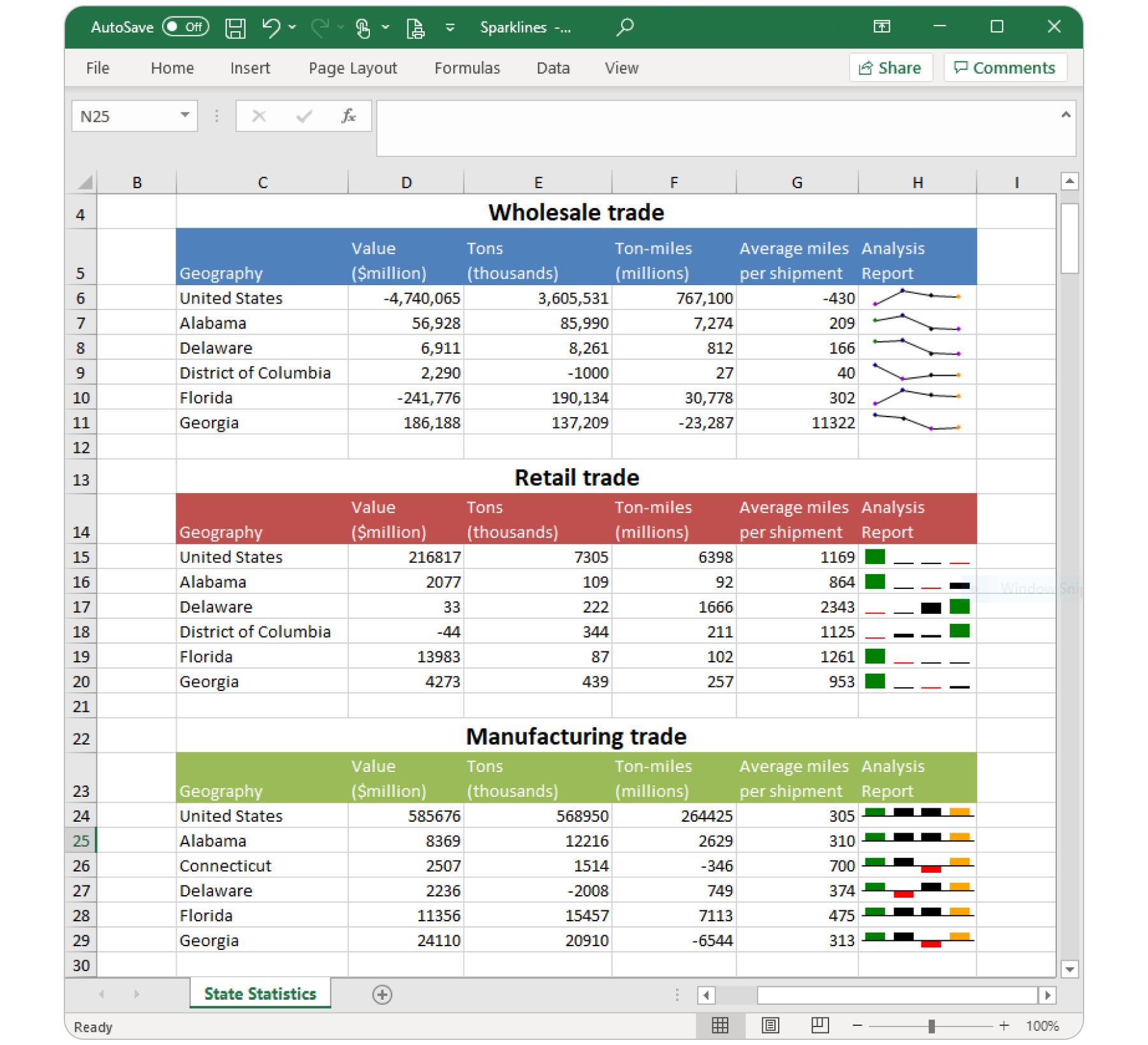
The Syncfusion [WinForms Excel (XlsIO) library](https://www.syncfusion.com/excel-framework/net?utm_source=nuget&utm_medium=listing&utm_campaign=winforms-xlsio-nuget) is a feature-rich and high-performance .NET Excel library that is used to create, read, and edit Excel documents programmatically without Microsoft Office dependencies.
|
|
|
|
|
|
|
|
|
|
|
|
[Features Overview](https://www.syncfusion.com/excel-framework/net/excel-library?utm_source=nuget&utm_medium=listing&utm_campaign=winforms-xlsio-nuget) | [Docs](https://help.syncfusion.com/file-formats/xlsio/overview?utm_source=nuget&utm_medium=listing&utm_campaign=winforms-xlsio-nuget) | [API Reference](https://help.syncfusion.com/cr/file-formats/Syncfusion.XlsIO.html?utm_source=nuget&utm_medium=listing&utm_campaign=winforms-xlsio-nuget) | [Online Demo](https://ej2.syncfusion.com/aspnetmvc/XlsIO/Default#/bootstrap5?utm_source=nuget&utm_medium=listing&utm_campaign=winforms-xlsio-nuget) | [GitHub Examples](https://github.com/SyncfusionExamples/XlsIO-Examples?utm_source=nuget&utm_medium=listing&utm_campaign=winforms-xlsio-nuget) | [Blogs](https://www.syncfusion.com/blogs/?utm_source=nuget&utm_medium=listing&utm_campaign=winforms-xlsio-nuget&s=excel) | [Support](https://support.syncfusion.com/create?utm_source=nuget&utm_medium=listing&utm_campaign=winforms-xlsio-nuget) | [Forums](https://www.syncfusion.com/forums/windowsforms?utm_source=nuget&utm_medium=listing&utm_campaign=winforms-xlsio-nuget) | [Feedback](https://www.syncfusion.com/feedback/winforms?utm_source=nuget&utm_medium=listing&utm_campaign=winforms-xlsio-nuget)
|
|
|
|
|
|
### Key features
|
|
|
* Easily [import and export](https://help.syncfusion.com/file-formats/xlsio/working-with-data?utm_source=nuget&utm_medium=listing&utm_campaign=winforms-xlsio-nuget) data from/to common business objects.
|
|
|
* Performs quick [evaluation](https://help.syncfusion.com/file-formats/xlsio/working-with-formulas?utm_source=nuget&utm_medium=listing&utm_campaign=winforms-xlsio-nuget) with 400+ functions.
|
|
|
* Imports data into a customized format using [Template Markers](https://help.syncfusion.com/file-formats/xlsio/working-with-template-markers?utm_source=nuget&utm_medium=listing&utm_campaign=winforms-xlsio-nuget).
|
|
|
* Create and edit all [chart](https://help.syncfusion.com/file-formats/xlsio/working-with-charts?utm_source=nuget&utm_medium=listing&utm_campaign=winforms-xlsio-nuget) types including Excel 2016 charts.
|
|
|
* Cell [data validations](https://help.syncfusion.com/file-formats/xlsio/working-with-data-validation?utm_source=nuget&utm_medium=listing&utm_campaign=winforms-xlsio-nuget) can be applied with operators, alert messages, custom formulas, and drop-down lists.
|
|
|
* Highlights important cells by [conditional formats](https://help.syncfusion.com/file-formats/xlsio/working-with-conditional-formatting?utm_source=nuget&utm_medium=listing&utm_campaign=winforms-xlsio-nuget).
|
|
|
* Performs various [cell-level operations](https://help.syncfusion.com/file-formats/xlsio/worksheet-cells-manipulation?utm_source=nuget&utm_medium=listing&utm_campaign=winforms-xlsio-nuget) like resizing, hide or unhide, insert or delete, group and ungroup, and so on.
|
|
|
* Supports various [formatting](https://help.syncfusion.com/file-formats/xlsio/working-with-cell-or-range-formatting?utm_source=nuget&utm_medium=listing&utm_campaign=winforms-xlsio-nuget) like number formats, text alignments, font settings, border settings, color settings, rich-text, and so on.
|
|
|
* Supports applying built-in styles and custom styles to cells.
|
|
|
* [Sorts](https://help.syncfusion.com/file-formats/xlsio/worksheet-cells-manipulation#data-sorting?utm_source=nuget&utm_medium=listing&utm_campaign=winforms-xlsio-nuget) data based on cell value, cell color, and font color.
|
|
|
* [Filters](https://help.syncfusion.com/file-formats/xlsio/worksheet-cells-manipulation#data-filtering?utm_source=nuget&utm_medium=listing&utm_campaign=winforms-xlsio-nuget) data based on cell value, cell color, icons, and so on.
|
|
|
* Create and edit the [auto shapes, comments, text boxes, combo boxes, check boxes, and option buttons](https://help.syncfusion.com/file-formats/xlsio/working-with-drawing-objects?utm_source=nuget&utm_medium=listing&utm_campaign=winforms-xlsio-nuget).
|
|
|
* Enables [page settings](https://help.syncfusion.com/file-formats/xlsio/working-with-excel-worksheet#page-setup-settings?utm_source=nuget&utm_medium=listing&utm_campaign=winforms-xlsio-nuget) like orientation, paper size, scaling, margins, print titles, header and footer, and so on.
|
|
|
|
|
|
### System Requirements
|
|
|
|
|
|
* [System Requirements](https://help.syncfusion.com/file-formats/installation-and-upgrade/system-requirements?utm_source=nuget&utm_medium=listing&utm_campaign=winforms-xlsio-nuget)
|
|
|
|
|
|
### Getting Started
|
|
|
|
|
|
You can fetch the Syncfusion WinForms Excel library NuGet by simply running the command **Install-Package Syncfusion.XlsIO.WinForms** from the Package Manager Console in Visual Studio.
|
|
|
|
|
|
Try the following code snippet to create a simple Excel document.
|
|
|
|
|
|
```csharp
|
|
|
using Syncfusion.XlsIO;
|
|
|
|
|
|
//Initialize ExcelEngine.
|
|
|
using (ExcelEngine excelEngine = new ExcelEngine())
|
|
|
{
|
|
|
//Initialize IApplication.
|
|
|
IApplication application = excelEngine.Excel;
|
|
|
//Set the default version as Xlsx.
|
|
|
application.DefaultVersion = ExcelVersion.Xlsx;
|
|
|
//Create a new workbook with one worksheet.
|
|
|
IWorkbook workbook = application.Workbooks.Create(1);
|
|
|
//Get the worksheet into IWorksheet.
|
|
|
IWorksheet worksheet = workbook.Worksheets[0];
|
|
|
//Set a value to Excel cell.
|
|
|
worksheet.Range["A1"].Value = "Hello World";
|
|
|
//Save the Excel document.
|
|
|
workbook.SaveAs("Output.xlsx");
|
|
|
}
|
|
|
```
|
|
|
For more information to get started, refer to our [Getting Started Documentation page](https://help.syncfusion.com/file-formats/xlsio/getting-started-create-excel-file-csharp-vbnet?utm_source=nuget&utm_medium=listing&utm_campaign=winforms-xlsio-nuget).
|
|
|
|
|
|
### License
|
|
|
|
|
|
This is a commercial product and requires a paid license for possession or use. Syncfusion’s licensed software, including this component, is subject to the terms and conditions of [Syncfusion's EULA](https://www.syncfusion.com/eula/es/?utm_source=nuget&utm_medium=listing&utm_campaign=winforms-xlsio-nuget). You can purchase a license [here](https://www.syncfusion.com/sales/products?utm_source=nuget&utm_medium=listing&utm_campaign=winforms-xlsio-nuget) or start a free 30-day trial [here](https://www.syncfusion.com/account/manage-trials/start-trials?utm_source=nuget&utm_medium=listing&utm_campaign=winforms-xlsio-nuget).
|
|
|
|
|
|
### About Syncfusion
|
|
|
|
|
|
Founded in 2001 and headquartered in Research Triangle Park, N.C., Syncfusion has more than 27,000+ customers and more than 1 million users, including large financial institutions, Fortune 500 companies, and global IT consultancies.
|
|
|
|
|
|
Today, we provide 1700+ components and frameworks for web ([Blazor](https://www.syncfusion.com/blazor-components?utm_source=nuget&utm_medium=listing&utm_campaign=winforms-xlsio-nuget), [Flutter](https://www.syncfusion.com/flutter-widgets?utm_source=nuget&utm_medium=listing&utm_campaign=winforms-xlsio-nuget), [ASP.NET Core](https://www.syncfusion.com/aspnet-core-ui-controls?utm_source=nuget&utm_medium=listing&utm_campaign=winforms-xlsio-nuget), [ASP.NET MVC](https://www.syncfusion.com/aspnet-mvc-ui-controls?utm_source=nuget&utm_medium=listing&utm_campaign=winforms-xlsio-nuget), [ASP.NET Web Forms](https://www.syncfusion.com/jquery/aspnet-webforms-ui-controls?utm_source=nuget&utm_medium=listing&utm_campaign=winforms-xlsio-nuget), [JavaScript](https://www.syncfusion.com/javascript-ui-controls?utm_source=nuget&utm_medium=listing&utm_campaign=winforms-xlsio-nuget), [Angular](https://www.syncfusion.com/angular-ui-components?utm_source=nuget&utm_medium=listing&utm_campaign=winforms-xlsio-nuget), [React](https://www.syncfusion.com/react-ui-components?utm_source=nuget&utm_medium=listing&utm_campaign=winforms-xlsio-nuget), [Vue](https://www.syncfusion.com/vue-ui-components?utm_source=nuget&utm_medium=listing&utm_campaign=winforms-xlsio-nuget), and [jQuery](https://www.syncfusion.com/jquery-ui-widgets?utm_source=nuget&utm_medium=listing&utm_campaign=winforms-xlsio-nuget)), mobile ([.NET MAUI](https://www.syncfusion.com/maui-controls?utm_source=nuget&utm_medium=listing&utm_campaign=winforms-xlsio-nuget), [Flutter](https://www.syncfusion.com/flutter-widgets?utm_source=nuget&utm_medium=listing&utm_campaign=winforms-xlsio-nuget), [Xamarin](https://www.syncfusion.com/xamarin-ui-controls?utm_source=nuget&utm_medium=listing&utm_campaign=winforms-xlsio-nuget), [UWP](https://www.syncfusion.com/uwp-ui-controls?utm_source=nuget&utm_medium=listing&utm_campaign=winforms-xlsio-nuget), and [JavaScript](https://www.syncfusion.com/javascript-ui-controls?utm_source=nuget&utm_medium=listing&utm_campaign=winforms-xlsio-nuget)), and desktop development ([WinForms](https://www.syncfusion.com/winforms-ui-controls?utm_source=nuget&utm_medium=listing&utm_campaign=winforms-xlsio-nuget), [WPF](https://www.syncfusion.com/wpf-controls?utm_source=nuget&utm_medium=listing&utm_campaign=winforms-xlsio-nuget), [WinUI](https://www.syncfusion.com/winui-controls?utm_source=nuget&utm_medium=listing&utm_campaign=winforms-xlsio-nuget), [.NET MAUI](https://www.syncfusion.com/maui-controls?utm_source=nuget&utm_medium=listing&utm_campaign=winforms-xlsio-nuget), [Flutter](https://www.syncfusion.com/flutter-widgets?utm_source=nuget&utm_medium=listing&utm_campaign=winforms-xlsio-nuget), [Xamarin](https://www.syncfusion.com/xamarin-ui-controls?utm_source=nuget&utm_medium=listing&utm_campaign=winforms-xlsio-nuget), and [UWP](https://www.syncfusion.com/uwp-ui-controls?utm_source=nuget&utm_medium=listing&utm_campaign=winforms-xlsio-nuget)). We provide ready-to-deploy enterprise software for dashboards, reports, data integration, and big data processing. Many customers have saved millions in licensing fees by deploying our software.
|
|
|
|
|
|
[sales@syncfusion.com](mailto:sales@syncfusion.com?Subject=Syncfusion%20WinForms%20XlsIO-%20NuGet) | [www.syncfusion.com](https://www.syncfusion.com?utm_source=nuget&utm_medium=listing&utm_campaign=winforms-xlsio-nuget) | Toll Free: 1-888-9 DOTNET
|
