
67 lines
13 KiB
Markdown
67 lines
13 KiB
Markdown
### Syncfusion WinForms PowerPoint library
|
||
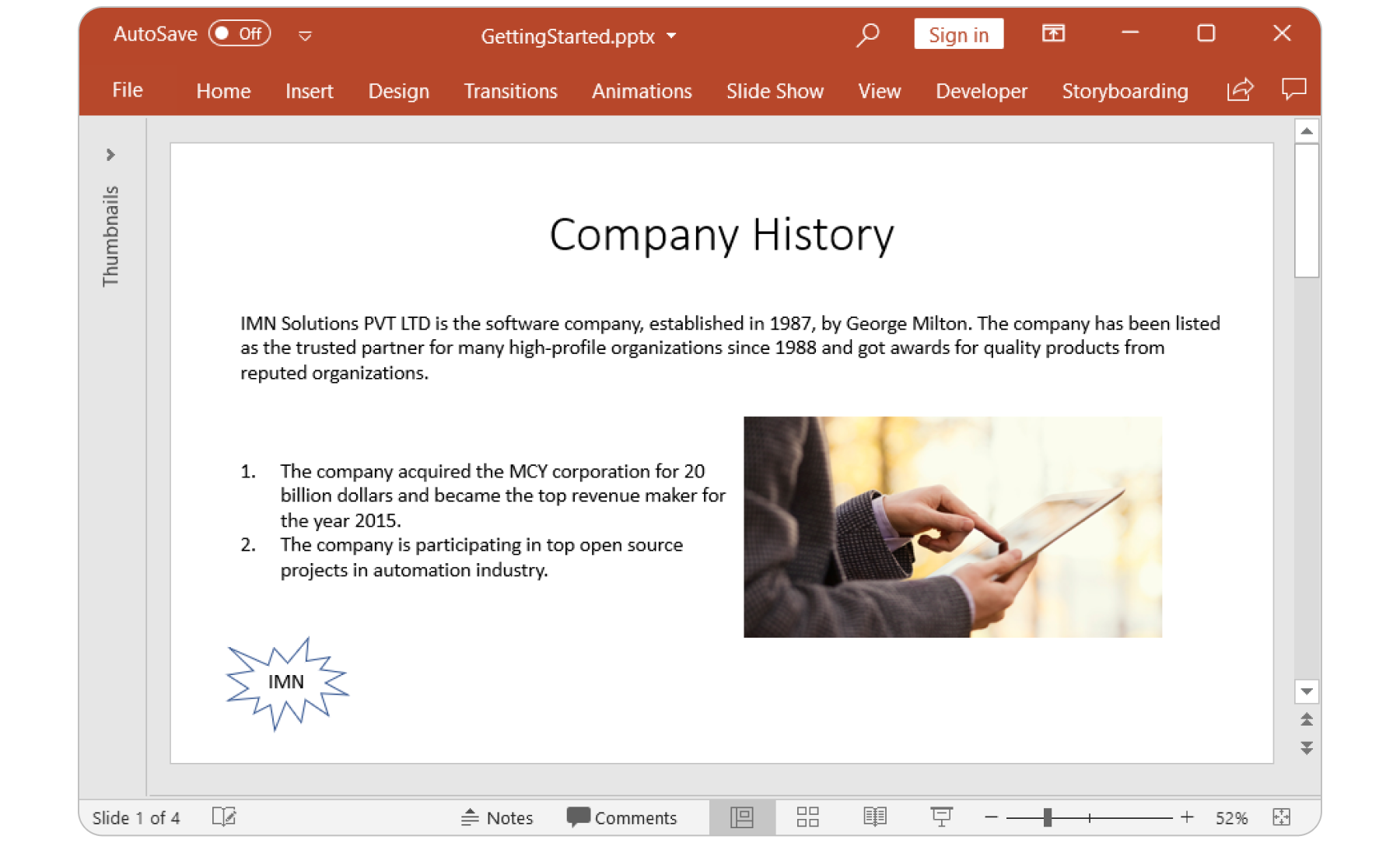
The Syncfusion [WinForms PowerPoint (Presentation) library](https://www.syncfusion.com/powerpoint-framework/net?utm_source=nuget&utm_medium=listing&utm_campaign=winforms-presentation-nuget) is a feature-rich and high-performance .NET PowerPoint library that is used to create, read, edit and convert PowerPoint presentation programmatically.
|
||
|
||
|
||
|
||
[Features Overview](https://www.syncfusion.com/powerpoint-framework/net/powerpoint-library?utm_source=nuget&utm_medium=listing&utm_campaign=winforms-presentation-nuget) | [Docs](https://help.syncfusion.com/file-formats/presentation/overview?utm_source=nuget&utm_medium=listing&utm_campaign=winforms-presentation-nuget) | [API Reference](https://help.syncfusion.com/cr/file-formats/Syncfusion.Presentation.html?utm_source=nuget&utm_medium=listing&utm_campaign=winforms-presentation-nuget) | [Online Demo](https://ej2.syncfusion.com/aspnetmvc/Presentation/Default?utm_source=nuget&utm_medium=listing&utm_campaign=winforms-presentation-nuget#/bootstrap5) | [GitHub Examples](https://github.com/syncfusion/winforms-demos/tree/master/presentation?utm_source=nuget&utm_medium=listing&utm_campaign=winforms-presentation-nuget) | [Blogs](https://www.syncfusion.com/blogs/?s=presentation?utm_source=nuget&utm_medium=listing&utm_campaign=winforms-presentation-nuget) | [Support](https://support.syncfusion.com/create?utm_source=nuget&utm_medium=listing&utm_campaign=winforms-presentation-nuget) | [Forums](https://www.syncfusion.com/forums/windowsforms?utm_source=nuget&utm_medium=listing&utm_campaign=winforms-presentation-nuget) | [Feedback](https://www.syncfusion.com/feedback/winforms?utm_source=nuget&utm_medium=listing&utm_campaign=winforms-presentation-nuget)
|
||
|
||
### Key Features
|
||
|
||
* Support to [create](https://help.syncfusion.com/file-formats/presentation/getting-started?utm_source=nuget&utm_medium=listing&utm_campaign=winforms-presentation-nuget#creating-a-simple-powerpoint-presentation-with-basic-elements-from-scratch) PowerPoint presentation from scratch.
|
||
* [Open](https://help.syncfusion.com/file-formats/presentation/loading-and-saving-the-presentation?utm_source=nuget&utm_medium=listing&utm_campaign=winforms-presentation-nuget#opening-an-existing-presentation-from-file-system), [modify](https://help.syncfusion.com/file-formats/presentation/working-with-powerpoint-presentation?utm_source=nuget&utm_medium=listing&utm_campaign=winforms-presentation-nuget), and [save](https://help.syncfusion.com/file-formats/presentation/loading-and-saving-the-presentation?utm_source=nuget&utm_medium=listing&utm_campaign=winforms-presentation-nuget#saving-a-powerpoint-presentation-to-file-system) existing presentations.
|
||
* Ability to [convert PowerPoint presentation to PDF](https://help.syncfusion.com/file-formats/presentation/presentation-to-pdf?utm_source=nuget&utm_medium=listing&utm_campaign=winforms-presentation-nuget).
|
||
* Ability to [convert PowerPoint slides to images](https://help.syncfusion.com/file-formats/presentation/presentation-to-image?utm_source=nuget&utm_medium=listing&utm_campaign=winforms-presentation-nuget).
|
||
* Ability to [create](https://help.syncfusion.com/file-formats/presentation/working-with-charts?utm_source=nuget&utm_medium=listing&utm_campaign=winforms-presentation-nuget#creating-a-chartfrom-scratch) and [edit](https://help.syncfusion.com/file-formats/presentation/working-with-charts?utm_source=nuget&utm_medium=listing&utm_campaign=winforms-presentation-nuget#editing-the-chart-data) charts.
|
||
* Ability to [convert chart in a slide to image](https://help.syncfusion.com/file-formats/presentation/working-with-charts?utm_source=nuget&utm_medium=listing&utm_campaign=winforms-presentation-nuget#chart-to-image-conversion).
|
||
* Ability to [clone](https://help.syncfusion.com/file-formats/presentation/working-with-slide?utm_source=nuget&utm_medium=listing&utm_campaign=winforms-presentation-nuget#cloning-slide) and [merge](https://help.syncfusion.com/file-formats/presentation/working-with-slide?utm_source=nuget&utm_medium=listing&utm_campaign=winforms-presentation-nuget#merging-slide) slides in presentation
|
||
* Ability to [create](https://help.syncfusion.com/file-formats/presentation/working-with-animation?utm_source=nuget&utm_medium=listing&utm_campaign=winforms-presentation-nuget) and [edit](https://help.syncfusion.com/file-formats/presentation/working-with-animation?utm_source=nuget&utm_medium=listing&utm_campaign=winforms-presentation-nuget#edit-existing-animation-effect) animations.
|
||
* Ability to [create](https://help.syncfusion.com/file-formats/presentation/create-edit-slide-transitions-in-powerpoint-presentation-slides-cs-vb-net?utm_source=nuget&utm_medium=listing&utm_campaign=winforms-presentation-nuget#set-a-transition-effect-to-a-powerpoint-slide) and [edit](https://help.syncfusion.com/file-formats/presentation/create-edit-slide-transitions-in-powerpoint-presentation-slides-cs-vb-net?utm_source=nuget&utm_medium=listing&utm_campaign=winforms-presentation-nuget#modify-a-transition-effect-applied-to-a-powerpoint-slide) transition effects.
|
||
* Ability to [create](https://help.syncfusion.com/file-formats/presentation/comments?utm_source=nuget&utm_medium=listing&utm_campaign=winforms-presentation-nuget#adding-a-comment) and [edit](https://help.syncfusion.com/file-formats/presentation/comments?utm_source=nuget&utm_medium=listing&utm_campaign=winforms-presentation-nuget#modifying-the-comment) comments.
|
||
* Ability to [encrypt](https://help.syncfusion.com/file-formats/presentation/security?utm_source=nuget&utm_medium=listing&utm_campaign=winforms-presentation-nuget#encrypting-with-password) and [decrypt](https://help.syncfusion.com/file-formats/presentation/security?utm_source=nuget&utm_medium=listing&utm_campaign=winforms-presentation-nuget#decrypting-the-powerpoint-presentation) PowerPoint presentation.
|
||
* Ability to [set and remove write protection](https://help.syncfusion.com/file-formats/presentation/security?utm_source=nuget&utm_medium=listing&utm_campaign=winforms-presentation-nuget#write-protection) of PowerPoint presentation.
|
||
* Ability to access the [Built-in](https://help.syncfusion.com/file-formats/presentation/working-with-powerpoint-presentation?utm_source=nuget&utm_medium=listing&utm_campaign=winforms-presentation-nuget#working-with-powerpoint-presentation-properties) and [Custom](https://help.syncfusion.com/file-formats/presentation/working-with-powerpoint-presentation?utm_source=nuget&utm_medium=listing&utm_campaign=winforms-presentation-nuget#custom-document-properties) document properties.
|
||
* Ability to [create](https://help.syncfusion.com/file-formats/presentation/working-with-sections?utm_source=nuget&utm_medium=listing&utm_campaign=winforms-presentation-nuget#creating-a-section) and [modify](https://help.syncfusion.com/file-formats/presentation/working-with-sections?utm_source=nuget&utm_medium=listing&utm_campaign=winforms-presentation-nuget) sections in PowerPoint presentation.
|
||
|
||
### System Requirements
|
||
|
||
* [System Requirements](https://help.syncfusion.com/file-formats/installation-and-upgrade/system-requirements?utm_source=nuget&utm_medium=listing&utm_campaign=winforms-presentation-nuget)
|
||
|
||
### Getting started
|
||
You can fetch the Syncfusion .NET PowerPoint library NuGet by simply running the command `Install-Package Syncfusion.Presentation.WinForms` from the Package Manager Console in Visual Studio.
|
||
|
||
Try the following code example to create a hello world PowerPoint Presentation.
|
||
|
||
```csharp
|
||
//Namespaces to create PowerPoint
|
||
using Syncfusion.Presentation;
|
||
|
||
//Creates a new instance of PowerPoint presentation.
|
||
using (IPresentation pptxDoc = Presentation.Create())
|
||
{
|
||
//Adds a slide to the PowerPoint Presentation.
|
||
ISlide firstSlide = pptxDoc.Slides.Add(SlideLayoutType.Blank);
|
||
//Adds a textbox in a slide by specifying its position and size.
|
||
IShape textShape = firstSlide.AddTextBox(100, 75, 756, 200);
|
||
//Adds a new paragraph with text.
|
||
textShape.TextBody.AddParagraph("Hello World");
|
||
//Creates an instance of memory stream.
|
||
using (MemoryStream stream = new MemoryStream())
|
||
{
|
||
//Saves the Presentation to stream.
|
||
pptxDoc.Save(stream);
|
||
}
|
||
}
|
||
```
|
||
For more information to get started, refer to our [Getting Started Documentation page](https://help.syncfusion.com/file-formats/presentation/create-read-edit-powerpoint-files-in-windows-forms?utm_source=nuget&utm_medium=listing&utm_campaign=winforms-presentation-nuget).
|
||
|
||
### License
|
||
|
||
This is a commercial product and requires a paid license for possession or use. Syncfusion’s licensed software, including this component, is subject to the terms and conditions of [Syncfusion's EULA](https://www.syncfusion.com/eula/es/?utm_source=nuget&utm_medium=listing&utm_campaign=winforms-presentation-nuget). You can purchase a license [here](https://www.syncfusion.com/sales/products?utm_source=nuget&utm_medium=listing&utm_campaign=winforms-presentation-nuget) or start a free 30-day trial [here](https://www.syncfusion.com/account/manage-trials/start-trials?utm_source=nuget&utm_medium=listing&utm_campaign=winforms-presentation-nuget).
|
||
|
||
### About Syncfusion
|
||
|
||
Founded in 2001 and headquartered in Research Triangle Park, N.C., Syncfusion has more than 27,000+ customers and more than 1 million users, including large financial institutions, Fortune 500 companies, and global IT consultancies.
|
||
|
||
Today, we provide 1700+ components and frameworks for web ([Blazor](https://www.syncfusion.com/blazor-components?utm_source=nuget&utm_medium=listing&utm_campaign=winforms-presentation-nuget), [Flutter](https://www.syncfusion.com/flutter-widgets?utm_source=nuget&utm_medium=listing&utm_campaign=winforms-presentation-nuget), [ASP.NET Core](https://www.syncfusion.com/aspnet-core-ui-controls?utm_source=nuget&utm_medium=listing&utm_campaign=winforms-presentation-nuget), [ASP.NET MVC](https://www.syncfusion.com/aspnet-mvc-ui-controls?utm_source=nuget&utm_medium=listing&utm_campaign=winforms-presentation-nuget), [ASP.NET Web Forms](https://www.syncfusion.com/jquery/aspnet-webforms-ui-controls?utm_source=nuget&utm_medium=listing&utm_campaign=winforms-presentation-nuget), [JavaScript](https://www.syncfusion.com/javascript-ui-controls?utm_source=nuget&utm_medium=listing&utm_campaign=winforms-presentation-nuget), [Angular](https://www.syncfusion.com/angular-ui-components?utm_source=nuget&utm_medium=listing&utm_campaign=winforms-presentation-nuget), [React](https://www.syncfusion.com/react-ui-components?utm_source=nuget&utm_medium=listing&utm_campaign=winforms-presentation-nuget), [Vue](https://www.syncfusion.com/vue-ui-components?utm_source=nuget&utm_medium=listing&utm_campaign=winforms-presentation-nuget), and [jQuery](https://www.syncfusion.com/jquery-ui-widgets?utm_source=nuget&utm_medium=listing&utm_campaign=winforms-presentation-nuget)), mobile ([.NET MAUI](https://www.syncfusion.com/maui-controls?utm_source=nuget&utm_medium=listing&utm_campaign=winforms-presentation-nuget), [Flutter](https://www.syncfusion.com/flutter-widgets?utm_source=nuget&utm_medium=listing&utm_campaign=winforms-presentation-nuget), [Xamarin](https://www.syncfusion.com/xamarin-ui-controls?utm_source=nuget&utm_medium=listing&utm_campaign=winforms-presentation-nuget), [UWP](https://www.syncfusion.com/uwp-ui-controls?utm_source=nuget&utm_medium=listing&utm_campaign=winforms-presentation-nuget), and [JavaScript](https://www.syncfusion.com/javascript-ui-controls?utm_source=nuget&utm_medium=listing&utm_campaign=winforms-presentation-nuget)), and desktop development ([WinForms](https://www.syncfusion.com/winforms-ui-controls?utm_source=nuget&utm_medium=listing&utm_campaign=winforms-presentation-nuget), [WPF](https://www.syncfusion.com/wpf-controls?utm_source=nuget&utm_medium=listing&utm_campaign=winforms-presentation-nuget), [WinUI](https://www.syncfusion.com/winui-controls?utm_source=nuget&utm_medium=listing&utm_campaign=winforms-presentation-nuget), [.NET MAUI](https://www.syncfusion.com/maui-controls?utm_source=nuget&utm_medium=listing&utm_campaign=winforms-presentation-nuget), [Flutter](https://www.syncfusion.com/flutter-widgets?utm_source=nuget&utm_medium=listing&utm_campaign=winforms-presentation-nuget), [Xamarin](https://www.syncfusion.com/xamarin-ui-controls?utm_source=nuget&utm_medium=listing&utm_campaign=winforms-presentation-nuget), and [UWP](https://www.syncfusion.com/uwp-ui-controls?utm_source=nuget&utm_medium=listing&utm_campaign=winforms-presentation-nuget)). We provide ready-to-deploy enterprise software for dashboards, reports, data integration, and big data processing. Many customers have saved millions in licensing fees by deploying our software.
|
||
|
||
[sales@syncfusion.com](mailto:sales@syncfusion.com?Subject=Syncfusion%20WinForms%20Presentation-%20NuGet) | [www.syncfusion.com](https://www.syncfusion.com?utm_source=nuget&utm_medium=listing&utm_campaign=winforms-presentation-nuget) | Toll Free: 1-888-9 DOTNET |